
AI Employee Onboarding NZ: Prepare the Checklist, Keep Managers in Control
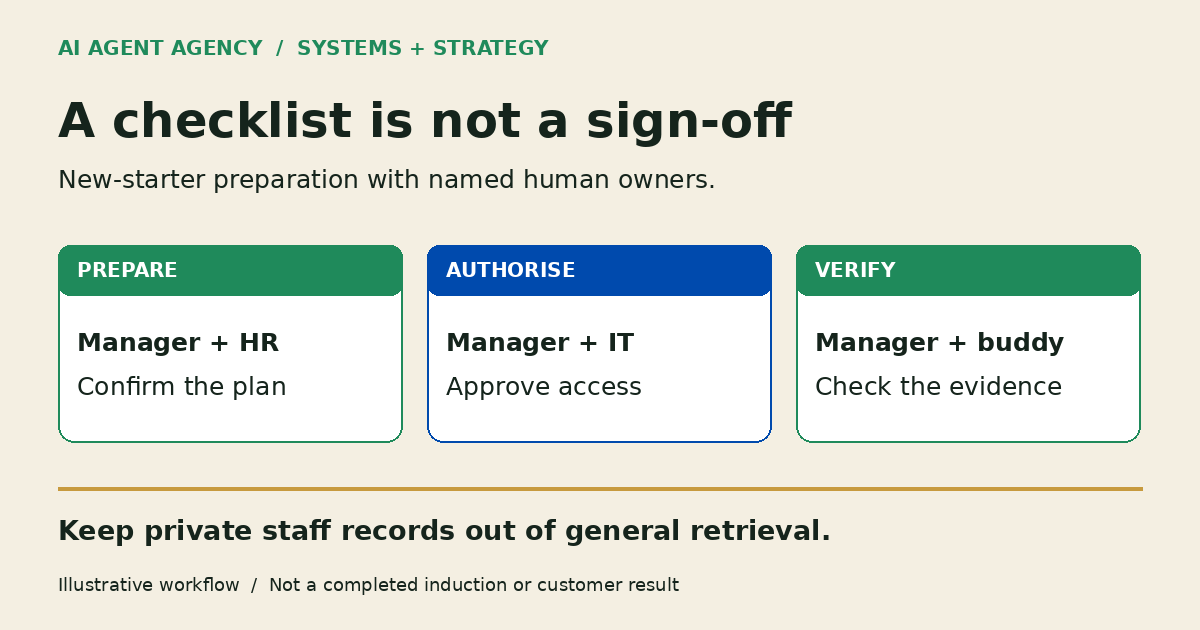
AI can prepare a new-starter checklist, draft welcome information, retrieve approved policy answers and flag unfinished tasks. Managers confirm responsibilities and completion evidence; authorised staff approve access. Keep personnel records separate from general onboarding knowledge, and route missing or conflicting answers to the policy owner rather than letting AI guess.
For a New Zealand business, the useful starting point is one confirmed starter and a reviewed task list—not a chatbot connected to every staff file. This guide focuses on Systems and Strategy: who prepares, who approves and who checks the result.
What can AI help with after someone is hired?
Use AI for preparation after the hiring decision: draft a role-specific checklist, assemble approved reading, suggest internal reminders and surface unanswered questions. A manager checks the role and start date before the workflow begins.
Keep candidate ranking, employment terms, pay decisions, payroll changes, identity verification, immigration judgments and safety sign-off outside this first workflow. AI should not infer these decisions from a job description or conversation.
If you are onboarding customers rather than staff, use the client-onboarding automation guide. Employee onboarding needs different records, permissions and owners; a sales-to-delivery checklist is not a substitute.
Copy an onboarding ownership matrix
Give every task one accountable owner, even when several people contribute. In a small business, one person may handle manager, HR/admin and IT responsibilities; record which role they are exercising.
This fictional example follows “Starter A”, an operations coordinator. Sources and versions are illustrative, not real company policies. Replace them with approved document locations. These rows describe proposed work, not a completed induction.
| Task | Accountable owner | Due date | Approved source | Requested access | Reviewer | Completion evidence | Escalation status |
|---|---|---|---|---|---|---|---|
| Check welcome draft | Manager | Before start | Welcome template v2 | None | Manager | Approved draft reference | Draft; awaiting review |
| Route personnel-record task | HR/admin | Before start | Restricted HR checklist v3 | HR system only | HR owner | Restricted task reference, not file contents | Awaiting HR confirmation |
| Request role access | IT owner | First day | Role-access list v4 | Operations folder; no payroll | Authorised manager | Approval reference plus IT access test | Pending approval |
| Introduce work routine | Buddy | First day | Induction guide v2 | Approved starter reading | Manager | Starter discussion recorded | Not started |
| Review open questions | Manager | End of first week | Starter checklist v3 | None additional | Manager | Check-in note and unresolved items | Check-in pending |
Store this matrix in a restricted workspace. Use named people in your private copy, retain the starter's ability to raise questions, and set a backup owner for absences. An overdue task should reach that person, not disappear into another reminder.
Separate onboarding knowledge from personnel records
Keep general role guidance in a source set the starter is allowed to read: current SOPs, approved policies, contact routes and induction instructions. The knowledge-base preparation guide explains how to choose trusted sources; this onboarding matrix assigns responsibility for using them.
Do not place banking details, identity documents, health information, pay or individual employment records in general retrieval. Track a restricted HR task reference instead of copying its contents into the assistant, reminder or shared checklist.
Business.govt.nz provides a new employee records checklist for personnel-file information. Keep that records work separate from this operational template, which is not an exhaustive employment or legal checklist.
The Office of the Privacy Commissioner recommends a privacy assessment before using AI for personal information. Before connecting staff data, check purpose, access, provider handling, retention and sharing with your privacy owner. An onboarding workflow does not establish compliance.
Four checkpoints from pre-start to first week
1. Confirm the pre-start packet
Have the manager confirm the role, start date, location and approved welcome template. AI drafts the packet from those inputs and lists missing information. Keep it unsent until reviewed. Do not request passwords or sensitive documents through the assistant.
2. Route first-day access for approval
Translate the role-access list into an access-request draft. Specify the system, folder, permission level, business purpose and approver. Use the AI Agent Permissions Checklist to separate reading, drafting and account changes. No autonomous account provisioning belongs in this first pilot.
3. Verify access and induction separately
After approval, IT performs the authorised setup and checks the intended access works without exposing unrelated material. The manager or buddy separately confirms the induction conversation. A sent welcome message, clicked link or created account is not evidence that the person understood their responsibilities.
4. Hold a first-week human check-in
Ask what is unclear, unavailable or different from the documentation. AI can assemble open items; the manager discusses them with the starter. Record accepted completion evidence, the remaining owner and the next review date. Do not mark an entire induction complete because its reminders ran successfully.
What happens when a policy answer is missing?
The assistant should show the current approved source and relevant section, or say it cannot provide an approved answer. If versions conflict, stop that answer and route both references to the policy owner. Do not combine them into a new rule.
For example, if Starter A asks about an individual leave arrangement, route the question privately to HR. Do not retrieve another employee's arrangement as precedent or invent an entitlement. The manager resolves the question with the appropriate expertise, outside general onboarding chat.
Check whether your existing HR software is enough
Start with its checklists, reminders and permission controls. If the problem is simply an unassigned task, assign an owner before adding AI. Consider a bounded assistant only when assembling approved knowledge or preparing reviewable handoffs addresses a recurring gap. Test with fictional data before connecting staff systems.
Frequently asked questions
What employee-onboarding tasks can AI help prepare?
AI can draft checklists, welcome material, reading lists, access requests and check-in agendas from approved inputs. A person reviews each output and confirms completion separately. It should not make employment decisions or claim that sending a reminder completed the task.
Can I upload personnel files into an onboarding chatbot?
Do not upload them into general onboarding chat. Keep sensitive records in approved HR systems. Any proposed AI use of personal information needs privacy assessment, clear purpose and appropriate access; a staff login alone does not make that use suitable.
Should AI create accounts or approve access automatically?
Not in this proposed first workflow. AI prepares a request; an authorised person approves the exact access, and IT performs and verifies setup. A draft request is not authorisation, including when the manager is unavailable.
What happens when an employee asks a policy question with no approved answer?
The assistant identifies the gap and routes it to the policy owner. It should not invent advice, use a superseded policy or expose another person's records. The owner supplies or approves the answer before it is reused.
Assess one onboarding handoff before connecting systems
Bring a blank or redacted checklist, approved policy-source locations and one recurring manager/IT handoff problem to the NZ$1,000 AI Agent Assessment. Do not put staff files in the booking form.
Map what AI may prepare, what needs approval and whether to build, prepare, wait or avoid. The Assessment stands alone, does not include installation and does not oblige you to proceed. A clearer checklist or existing tool may be enough.