
AI Sales Forecasting NZ: Check Your CRM Data Before Trusting Predictions
Check the inputs before trusting the number
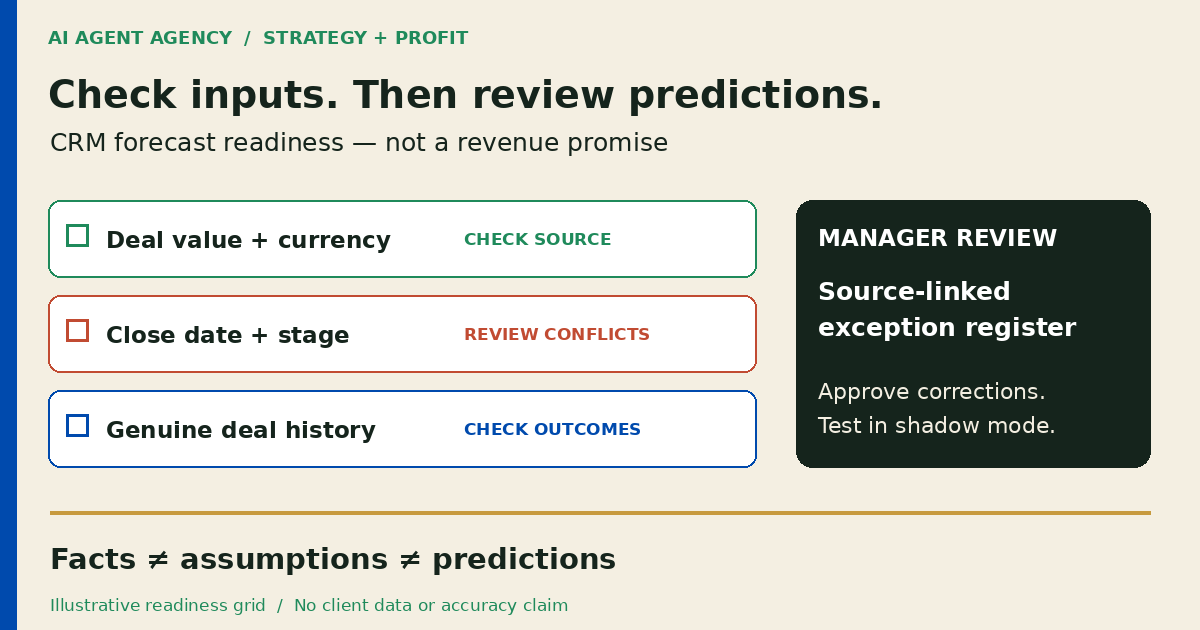
Before using AI sales forecasting, check your CRM's opportunity values, realistic close dates, stage definitions and closed-deal history. Separate a factual pipeline summary from a prediction. Start with a source-linked exception list, test suitable native CRM tools, and keep forecast assumptions and business decisions under human review.
For New Zealand owners and sales managers, this is a Strategy and Profit workflow supported by Systems. The first useful output may be a list of deals needing review, not another revenue chart.
What is a forecast—and what is only a pipeline summary?
A pipeline summary describes recorded opportunities. A weighted estimate applies chosen probabilities to deal values. A predictive forecast uses a model to estimate future outcomes. These are different outputs; label which one your report contains.
A forecast is not a confirmed sale
A stage-weighted total does not become an AI prediction because an assistant explains it. Nor is predicted sales revenue a cash receipt: acceptance, delivery and payment timing remain separate questions.
This guide checks forecast inputs and review decisions. Use the broader CRM automation guide for records and next actions, and the management-reporting guide for assembling the final business brief. This is operational guidance, not accounting, lending, investment or tax advice.
1. Check the opportunity fields against evidence
Choose a reporting period and a dated source snapshot. Check open opportunities for value, currency, expected close date, stage, owner and a source supporting the next decision. Agree whether values include GST and whether recurring work is recorded monthly, annually or as total contract value.
Separate missing fields from doubtful assumptions
A populated close date may still be unrealistic. Flag dates that have passed, repeated rollovers, duplicate deals and stages without agreed entry criteria. Ask the owner to resolve them; do not let AI fill gaps from similar customers.
Check closed records for won or lost outcome, actual close date and actual value where applicable. Keep test records separate. The data-readiness checklist covers wider source ownership and access; this check concerns evidence usable for a forecast.
2. Compare native CRM forecasting before adding an agent
Check your current product's licensing, supported fields, history requirements and configuration. If native reporting answers the question, configure it before buying another integration. An agent is more relevant when evidence must be reconciled across tools and prepared for review.
Treat vendor prerequisites as product-specific
Microsoft's premium forecasting documentation requires more than ten closed opportunities with specified actual and estimated values and dates, plus populated estimated fields on open opportunities. It calls for genuine operational data and a suitable licence.
Those are Dynamics 365 prerequisites, not a universal minimum or proof that eleven deals produce a dependable forecast. Check your own product and pipeline. Sparse history, changed sales processes or a different service mix may justify a reviewed pipeline brief before predictive modelling.
3. Copy a forecast-readiness exception register
Create one entry per unresolved issue. Link the source record, preserve its timestamp and distinguish an observed fact from a proposed correction. This is a reusable operating design, not a deployed forecasting system.
| Field | What to record |
|---|---|
| Identity | Deal ID, source system and restricted record link |
| Snapshot | Extract time, reporting period and source version |
| Exception | Missing field, conflicting value or stale assumption |
| Evidence | Source reference and observed value; unknown if absent |
| Impact | Which forecast input is affected, without inventing a replacement |
| Owner | Person responsible and agreed review deadline |
| Proposal | Suggested investigation or correction, labelled as unapproved |
| Decision | Reviewer, accepted action, hold reason and decision time |
| Verification | Destination read-back and unresolved follow-up |
Example: a complete field can still need review
A fictional Christchurch services firm records DEMO-F24 as closing this month, but its latest note says the customer is still choosing scope. The register flags conflicting timing evidence and names the deal owner. It does not invent a new date or probability. This is an illustrative scenario, not a client result.
If scope is changing, use the quote-revision workflow to establish the approved offer. A revised quote alone does not authorise a forecast change. Limit register access and omit unnecessary customer details.
4. Test in shadow mode with dated snapshots
Run the proposed output alongside your existing review without using it to direct consequential decisions. Save the inputs, reporting cutoff, forecast horizon, method, assumptions and manager adjustments before outcomes are known.
Compare like-for-like periods
Define what counts as the actual outcome and compare the same currency, time window and deal population. Do not compare predicted bookings with cash collected. Keep the original snapshot when a deal slips or an owner corrects a field; otherwise the comparison quietly uses hindsight.
Retain errors, exclusions and unresolved records alongside successful examples. Review different periods and deal types, including losses and delays. One successful sample is not evidence of accuracy. Agree what evidence and review effort would justify continuing before the pilot begins.
5. Approve corrections and verify the resulting record
Keep initial source access read-only. Let AI prepare exceptions and suggested investigations in a separate draft area. A named sales manager should review any change to value, probability, stage, close date or forecast assumptions.
Approval belongs to the exact action
Record the deal, field, proposed value, supporting evidence and approver. If the source changes before execution, return it for review rather than applying an outdated decision. After an approved update, read back the destination record and preserve the original snapshot.
Keep budgets, staffing, customer commitments, outreach, DMs and booking handoffs outside autonomous forecast actions. A forecast draft is not permission to act. If a write or read-back fails, leave an owned exception rather than reporting completion or retrying blindly.
Frequently asked questions
What data does AI sales forecasting need?
Check opportunity values, currencies, expected close dates, clear stages, owners and genuine closed-deal outcomes. Exact history and field requirements depend on the forecasting product and method. Missing evidence should remain visible, not be replaced with AI guesses.
Is a weighted pipeline report the same as an AI prediction?
No. A weighted report applies selected probabilities to recorded values. A predictive model estimates outcomes from data. Label both the calculation and assumptions so readers know what the number represents.
Can a small business forecast without much closed-deal history?
You can prepare a reviewed pipeline estimate and make uncertainty explicit. Whether predictive modelling is useful depends on the method, available evidence and sales process. Do not manufacture history to meet a software threshold.
Should we use our CRM's native forecasting before adding an agent?
Check it first. Native reports may be sufficient after configuration and cleanup. Consider an additional workflow when recurring cross-tool evidence gathering and exception review justify its access controls, testing and maintenance.
Can AI change sales probabilities or close dates automatically?
Not in this proposed workflow. AI prepares a source-linked suggestion; an authorised person approves the exact change. Verify the destination after execution and preserve both the decision and prior snapshot.
Decide whether to prepare, configure, pilot or wait
Prepare when source evidence is missing. Configure when native CRM reporting is sufficient. Pilot when a recurring exception-review handoff has an owner and testable boundaries. Wait when nobody can maintain the sources or review decisions.
Use the NZ$1,000 AI Agent Assessment to review your pipeline sources, reporting handoff and approval rules—and decide whether cleanup, native CRM reporting or a controlled pilot should come first. The assessment is not a guaranteed forecast or completed integration.