
AI Tool Offboarding Checklist NZ: Remove Access Without Breaking the Workflow
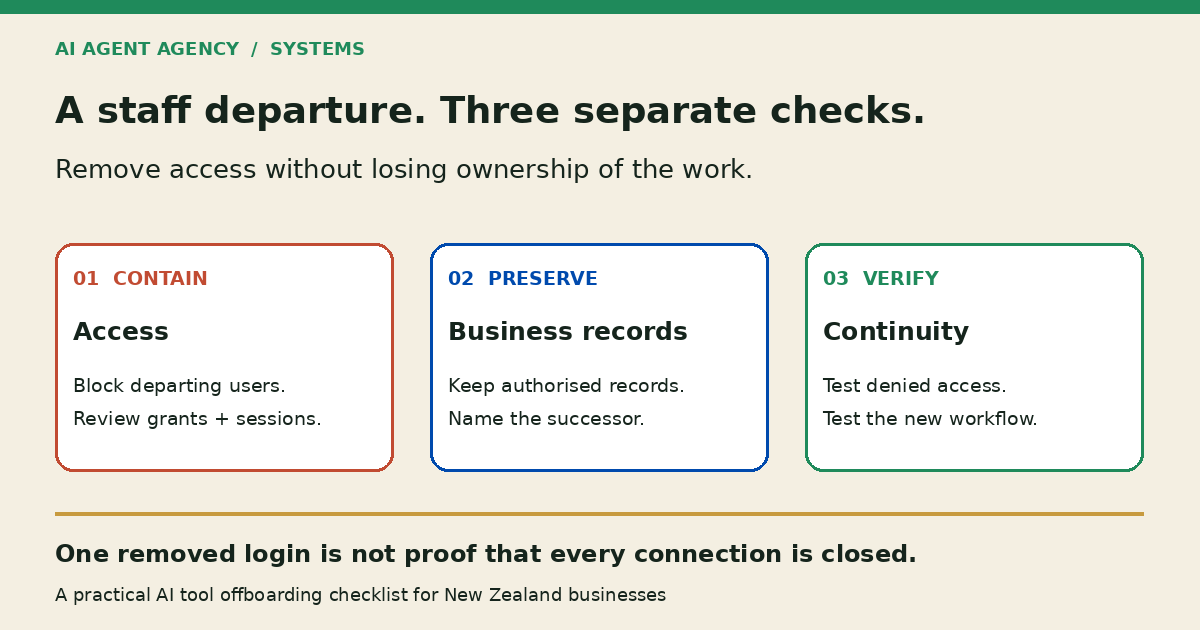
When a staff member leaves, identify the AI accounts, connected apps and automations they access or own. Block their access at the agreed departure point, preserve required business records through authorised administration, reassign workflow and review ownership, revoke relevant sessions and credentials, and test access removal and business continuity separately.
For New Zealand owners, this is an operational checklist—not employment-law, privacy or cybersecurity advice. Use your IT administrator for access changes. If misuse is suspected, follow your incident process immediately; do not wait for a tidy handover before containing access.
Why deleting an AI login is not enough
Separate three questions: can the person still sign in, can a connected application still reach business data, and who now owns the work? Removing a workspace member may address only the first. Check each provider’s controls rather than assuming one removal button covers everything.
Personal accounts need a different boundary
A personal account used for work is not automatically business-controlled. Do not request passwords, impersonate the employee or copy their personal material. Arrange authorised recovery of appropriate business records, and remove business-side sharing and connections where you have authority. The personal ChatGPT account guide explains the ownership problem.
Find the dependencies attached to the departing person
Start with your AI tool register, then ask the employee, manager and administrator to identify omissions. A subscription list alone will miss workflows hidden inside other tools.
- Accounts and assistants: Business workspaces, shared assistants, projects, meeting bots and browser extensions used for work.
- Connected systems: Mailboxes, CRM, source folders, document stores and automation-platform connections.
- Operating dependencies: Scheduled jobs, webhook destinations, billing contacts, recovery addresses and credentials the person could access.
- Unfinished work: Unsent drafts, pending approvals, customer commitments and queues that only this person reviews.
Record who administers each item and what would stop if the account disappeared. For broader action boundaries, use the AI agent permissions checklist.
Five checkpoints for the departure window
Assign a named administrator and manager. Agree the effective departure time, accountable successor and escalation contact before changing access where practical. Urgent containment takes priority over completing this list.
1. Block departing-user access at the agreed time
Apply the provider’s supported suspension or sign-in blocking process. Review direct logins, workspace membership and recovery methods as well as central identity access. Do not assume removing single sign-on access ends every third-party session. Record what was blocked and what remains unverified.
2. Preserve authorised business records before deletion
Have an authorised administrator identify required files, decision records and approved workflow instructions. Transfer or retain only appropriate business material with restricted access. Resolve retention requirements before destructive deletion; there is no universal retention period in this checklist. Preserving records does not require leaving the departing person’s access active.
3. Review sessions, connected apps and credentials
Google Workspace’s departure guidance separately covers recovery access, OAuth application tokens, sign-in cookies, security keys and app passwords. Follow its current instructions for your environment. For other providers, check their own documentation. Revoke relevant grants and replace exposed shared secrets through authorised administrators; never email credentials to the successor.
4. Transfer workflow ownership and review authority
Name both the person maintaining the workflow and the person approving its outputs. Reconnect through supported business-owned access with narrow permissions, not a shared copy of the employee’s login. Pause jobs without a competent reviewer. Keep sending, publishing, sensitive record changes and commercial commitments behind human approval.
5. Verify the change before resuming work
Use authorised administrative checks or a controlled test identity to confirm the removed permission is denied. Do not sign in as the former employee to test it. Separately test the successor’s permitted work with non-sensitive samples. Record failures and unresolved dependencies; a successful test on one connection is not proof that every access path is closed.
Copy an AI departure register
Keep this register in a restricted business system. Use evidence references and timestamps, not passwords or token values. Give unresolved items an owner and next-review date.
| Tool/workflow | Account owner | Connected systems | Access-removal action | Retained records | Successor | Test evidence | Sign-off |
|---|---|---|---|---|---|---|---|
| Illustrative proposal-draft assistant | Departing business user | Approved CRM and template folder | Block user; revoke their connector grant; review sessions | Approved templates and pending business drafts | Named sales owner | Denial check and successor draft test pending | Not signed off |
This is a fictional register entry, not a completed test or client result. Replace role labels with actual people. Keep user removal, record preservation and reconnection as separate actions so unfinished work is visible.
Test continuity as well as access removal
A workflow can fail safely yet still leave customers waiting. Microsoft’s former-employee guidance separates preventing sign-in from preserving mailbox content and transferring access to business information. Apply the relevant provider procedures; do not copy product-specific retention assumptions across tools.
Run three controlled checks
- Former-user access: Confirm the targeted permission is denied using supported admin evidence. Check direct workspace membership and connected access separately.
- Successor access: Prepare a draft from an approved sample source. Confirm the successor sees only permitted information and can route it for review.
- Paused and pending work: Check schedules, drafts and approval queues. Confirm nothing sends under an obsolete approval or resumes merely because a connector works again.
For invoice-related queues, use the invoice-reminder decision guide to check overlapping senders and holds. A replacement reviewer should not inherit permission to send every old draft. Recheck current evidence before release.
When to assess the workflow before reconnecting it
Stop and review when no one knows which account owns a connector, the only source instructions sit in a personal workspace, or there is no authorised successor. Prefer a temporary manual process over reconnecting broad access just to restore activity.
Access tests cannot prove previously copied data has disappeared. Record that limitation and escalate suspected disclosure through your incident process. This checklist does not certify compliance or guarantee complete removal of business information.
Frequently asked questions
Is deleting an employee’s AI login enough?
Not necessarily. Check workspace membership, connected applications, sessions, credentials and workflow ownership separately. Follow each provider’s supported controls. Removing one login does not establish that every third-party connection or previously copied record is gone.
What if a business automation uses the departing employee’s account?
Pause consequential actions, assign a successor and have an authorised administrator replace the dependency using supported business-owned access. Test permissions and review routing before restarting. Do not share the employee’s password or resume customer actions without an accountable reviewer.
Should we delete AI conversations and files immediately?
Do not delete indiscriminately. Block access when required, then resolve authorised preservation, retention and deletion decisions with the responsible administrator and advisers. Keep appropriate business records without copying unrelated personal material or assuming every provider has the same retention rules.
Map the dependencies before reconnecting AI
Book the NZ$1,000 AI Agent Assessment when a departure reveals hidden integrations or workflows dependent on one person. Map the tools, knowledge sources, permissions and human approval ownership, then prioritise continuity recommendations.
The Assessment stands alone, with no obligation to buy implementation or management. It is not an emergency IT-response service and does not include executing offboarding or rebuilding integrations.