
Staging Website Showing in Google? A NZ Owner’s Checklist
If your staging website appears in Google, confirm the exact test hostname and ask your web provider to restrict it. Public, non-sensitive copies can use a crawlable noindex directive; private material needs access control. Any temporary search removal needs a verified test-only scope. Check production separately before closing the issue.
For a New Zealand owner coordinating a developer, marketing team and hosting provider, the first job is a precise handoff—not a hurried domain-wide change. This checklist helps you separate the test copy from the site that takes enquiries. It does not assume your own staging site is indexed.
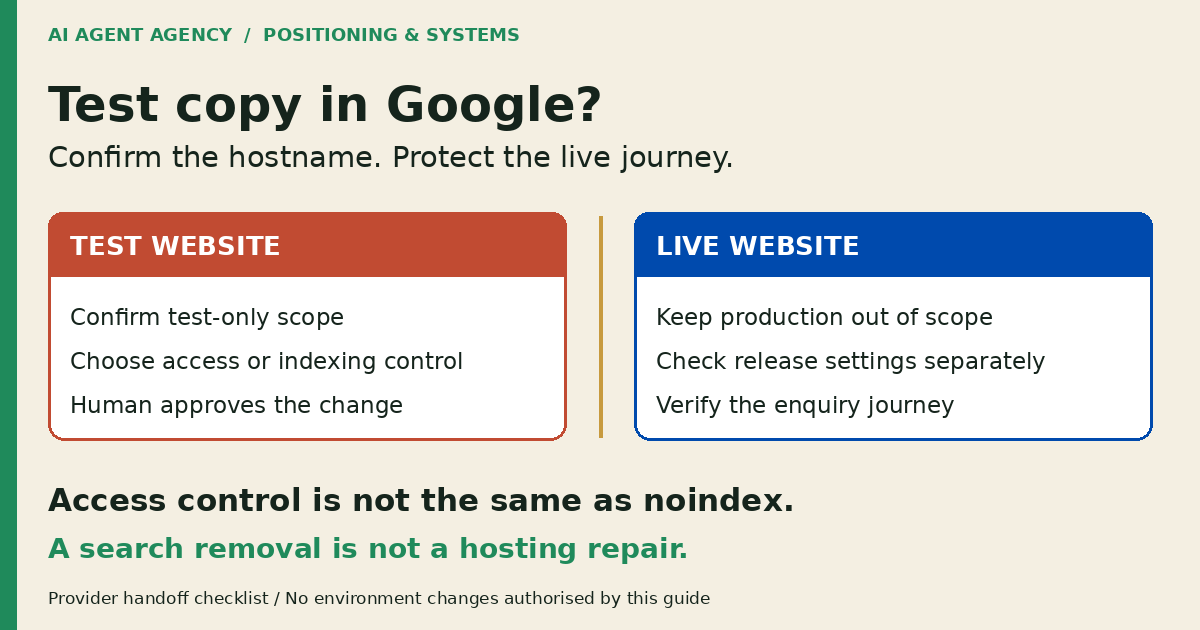
1. Confirm which website Google is showing
Record the result URL and the time you saw it. On public pages you are authorised to inspect, follow the link and note the final browser URL, page title and content. A search snippet alone does not establish what the website serves now.
Identify the environment owner
Ask your provider which hostname is production, which is a test copy, and whether a hosting-provider address is an intentional public destination. Do not classify every preview-looking address as staging. For link journeys, use the broken-link and redirect checklist.
If the page exposes customer information, credentials or confidential drafts, contact the current provider and security owner immediately. Do not circulate screenshots containing that information or wait for a marketing assessment. Keep investigation within your authorised scope; do not probe other customers’ hosting addresses.
2. Choose the right control for the problem
Access restriction, indexing instructions and search-result removal solve different problems. Ask your provider to explain which outcome each proposed change delivers.
Private content: restrict access
Google’s content-control guidance recommends password protection for confidential material. Your provider should enforce authentication before serving the protected content, including relevant files. A password-looking screen that still delivers private content is not an adequate acceptance check.
Public test copies: consider noindex
Google’s noindex documentation describes a page meta tag or response header that prevents indexing when Google can crawl and read it. It does not stop visitors opening the page. Keep confidential material protected; do not expose it just so a crawler can read a directive.
Google’s robots.txt introduction explains that blocking crawling alone does not reliably keep a web URL out of results. Treat crawler rules as a separate decision, not a quick removal fix. Ask the provider to reconcile conflicting controls before changing anything.
3. Send an environment-specific evidence sheet
Use this handoff instead of “please remove our website from Google”. Give the provider a clear boundary, a named approver and a place to record the result.
| Field | What your provider needs |
|---|---|
| Observed result | Exact result URL, observation time and redacted search context |
| Environment | Confirmed test hostname and accountable provider |
| Current response | Requested URL, final URL, status, title and observed access behaviour |
| Indexing signals | Observed robots meta and response headers; record unknowns explicitly |
| Protected production | Exact live hostname and priority enquiry pages that must not change |
| Approved action | Test-only scope, intended control, implementer and approver |
| Recovery route | Saved prior settings, rollback owner and stop conditions |
| Verification | Test-copy evidence, production checks and next review date |
Illustrative boundary—not a real incident
For a fictional business, staging.example.com is the confirmed test host and www.example.com is production. The request names only staging.example.com as the candidate for restriction. It explicitly excludes www.example.com and the live enquiry journey. The provider must confirm those roles rather than copying the example as configuration.
Keep sensitive evidence in a restricted work ticket. Do not put credentials, customer data or private preview tokens into an AI chat or public contact form.
4. Approve the smallest corrective action
Have the provider propose the test-only change and recovery method before an authorised person approves it. Read the change-management checklist for approval, rollback and verification ownership. Do not copy a production-wide blocking rule from a tutorial.
Treat temporary removal as a separate approval
Google’s Removals tool guidance distinguishes temporary search blocking from permanent removal and access restriction. The tool does not remove content from the internet or other search engines.
If urgency warrants a request, the authorised Search Console owner must confirm property access and inspect the exact URL or test-only prefix before submission. A second person should check that the proposed scope excludes production, including any HTTP/HTTPS and www/non-www variants covered by the tool. Stop if the interface’s matching scope is unclear. Do not use removal to select a preferred duplicate version.
This checklist does not authorise a removal request, hosting change or indexing-rule update. Those decisions remain with your accountable owner and provider.
5. Verify staging and production separately
After an approved repair, check the intended access restriction or indexing instruction on the exact test URL. Record the observed response and time. Where authentication is required, have the provider verify an unauthenticated visitor cannot retrieve protected pages or files.
Add a release safeguard
Independently check the live homepage, priority service page and enquiry path. Ask the provider to confirm that staging-only authentication, noindex tags, response headers and crawl restrictions have not entered production. A successful test-host change does not prove the live site is safe.
Search results may lag current controls. Keep “access restricted”, “directive observed” and “search result no longer observed” as separate findings; none establishes every URL’s index status. Schedule a follow-up rather than promising a removal deadline or ranking recovery.
For the next release, require a test-versus-live settings comparison before deployment and a production recheck afterwards. Add this to your website maintenance checklist, not someone’s memory.
Frequently asked questions
Will blocking crawling remove a staging page from Google?
Not reliably. Google can still show a blocked URL discovered elsewhere. A crawl block also prevents Google reading a page’s noindex instruction. Ask your provider to choose the appropriate access or indexing control for the confirmed test environment.
Is noindex enough to protect private staging content?
No. Noindex is an indexing instruction, not access control. Private staging pages and files need enforced access restrictions. Do not make confidential content public merely to let Google read a noindex tag.
Does a temporary removal request fix the underlying problem?
No. It temporarily affects Google Search visibility, not who can open the website. Your provider still needs a durable restriction or indexing solution. Confirm the request’s exact scope before an authorised owner submits it.
How do we avoid removing the live site by mistake?
List the test hostname and production hostname separately. Require an independent check of any removal URL or prefix, exclude production explicitly, and verify the live enquiry journey after approved changes. Stop when environment ownership or matching scope is uncertain.
Decide whether you need one repair or recurring oversight
A one-off provider repair may be enough. If preview sites and releases recur, a webmaster agent can prepare authorised observations and compare environment settings. It should not change access, submit removals or publish fixes without approval.
Use the NZ$1,000 AI Agent Assessment to define what a webmaster agent may check, what your provider must approve and how changes will be verified. The Assessment stands alone; installation is separate. Urgent exposure belongs with your current provider or security owner first. This is not emergency remediation or a guaranteed deindexing service.