
AI Automation Vendor Exit Plan for NZ Businesses
An AI automation vendor exit plan records what your business needs to keep operating if you change suppliers: account ownership, exportable data, workflow documentation, prompts and configuration, integration details, support responsibilities, and a tested fallback. Check contract rights and rehearse the handover before cancelling the existing service.
For a New Zealand owner or operator, the useful question is simple: could someone else run this workflow without the supplier's personal login or memory? Use the register and six checkpoints below before renewal, replacement, or cancellation.
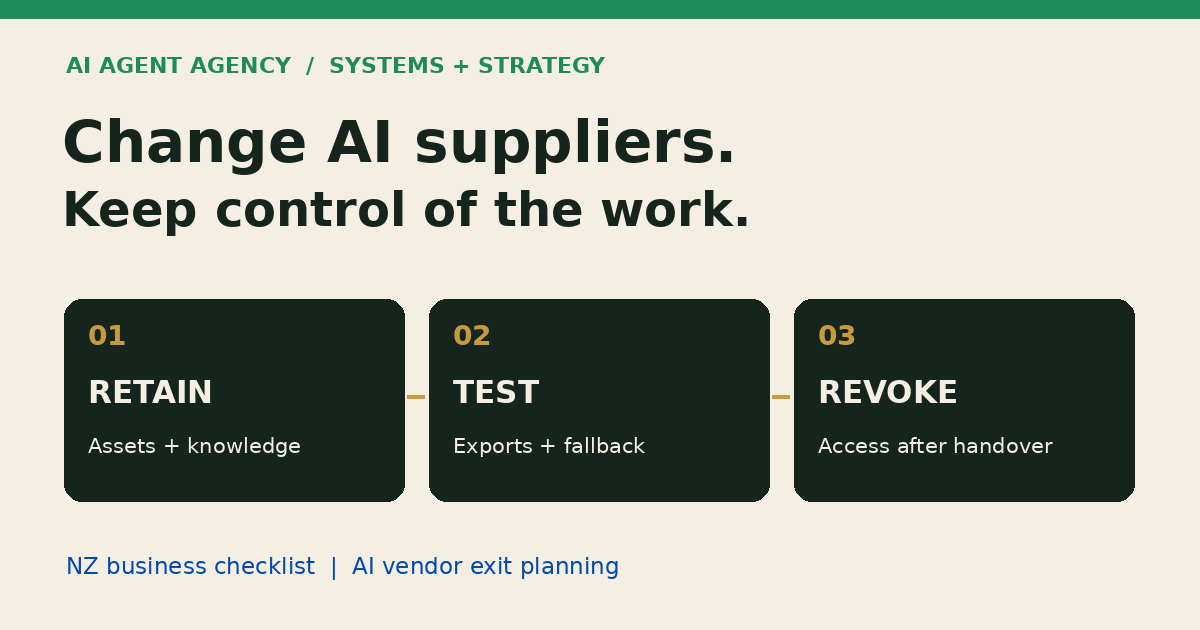
What is an AI automation vendor exit plan?
An exit plan explains how you leave a supplier while retaining the information and operating capability your business needs. It is not a promise of complete portability or uninterrupted service.
Supplier exit is different from go-live handover
The AI Automation Handover Checklist covers normal operation after launch. Supplier exit adds termination dates, export rights, replacement dependencies, transition costs, and removal of the outgoing supplier's access.
Model portability is different from workflow portability
A data export does not include a proprietary model or guarantee identical outputs elsewhere. A replacement may need new connectors, prompts, retrieval indexes, and testing even when your documents transfer successfully.
The Ministry for Regulation's Responsible AI in Action guidance, section 1.2, recommends portability, access to generated outputs, knowledge transfer, and exit plans. This is regulatory/public-sector guidance, not a blanket legal requirement for private NZ businesses.
What should your business retain access to?
1. Check accounts and administrator access
Record who owns each subscription, pays the bill, controls recovery, and can remove users. Where the platform supports it, use business-controlled accounts with named administrators and delegated supplier access. A supplier-owned account is a dependency to resolve, not proof that you can take it over.
For website or SEO supplier changes, use the Search Console ownership handover worksheet. Verify business access before routine removal and review residual verification tokens separately from the user list.
2. Separate information from supplier components
List source documents, structured records, approved outputs, relevant logs, prompts, configuration, integration documentation, test cases, and operating instructions. Check export rights and formats individually. Your business data, a licensed workflow template, and a proprietary connector may have different rights.
Keep secrets in an approved credential store, not in the exit register. Record the credential owner and rotation procedure instead. Carry forward your prompt-injection boundary tests when changing suppliers or connectors, so external emails and documents do not gain new authority. Preserve human approval rules: changing suppliers must not silently authorise emails, publishing, payments, or sensitive CRM changes.
Build your AI supplier exit register
Copy these six columns into a spreadsheet: asset, current owner, export format, dependency, responsible person, and evidence checked. Add a row for every component needed to operate, pause, or replace the workflow.
The populated rows below are illustrative, not a client record or evidence that any particular platform supports these exports. Replace them with your own findings; record “not checked” until someone has opened and verified the actual export.
| Asset | Current owner | Export format | Dependency | Responsible person | Evidence checked |
|---|---|---|---|---|---|
| Source documents | Business | Original files | Folder permissions | Operations lead | Sample file opens |
| Lead records | Business | CSV | Field mapping and attachments | Sales lead | Sample IDs reconciled |
| Workflow configuration | Supplier | JSON, if supported | Licensed connector | Technical lead | Export rights not checked |
| Approval rules | Business | Written procedure | Named reviewer | Workflow owner | Manual procedure rehearsed |
| Retrieval index | Platform | Rebuild from sources | Embedding service | Technical lead | Rebuild not checked |
3. Record evidence, not just file names
For each export, note its date, version, location, and what was tested. Check attachments, record relationships, source links, and permissions—not just row counts. Store exports with access controls appropriate to their contents.
Mark components that cannot transfer. Decide whether each needs a replacement, a rebuild, continued licensing, or removal. An honest dependency list is more useful than a folder labelled “backup” that nobody has opened.
Questions to resolve before signing or renewing
4. Agree transition terms before they become urgent
For routine date tracking across supplier and service agreements, use the reviewed contract-renewal register. Keep that calendar separate from the technical exit plan below; a reminder does not authorise cancellation.
Ask the supplier to confirm these points in writing, alongside the broader AI Procurement Checklist:
- What notice period applies, and when does export access end?
- Which assets can be exported, in which formats, and at what charge?
- Who provides transition help, for how long, and at whose cost?
- Which custom components can another provider maintain or licence?
- How are data return, deletion, backups, and retained records handled?
Do not assume cancellation deletes every copy immediately. Ask about retention periods, subprocessors, and the evidence available after closure. Resolve necessary retention before requesting deletion. Contract interpretation, disputed ownership, and privacy obligations need appropriate legal advice; this checklist is not a substitute.
Rehearse an exit before cancelling
5. Test representative exports and the fallback
Use an authorised test environment and the minimum necessary data. Check that representative records open, relationships remain intelligible, and a person can follow the instructions. Test ordinary work and an exception, such as an enquiry with missing details.
Illustrative example: a service business uses AI to prepare enquiry summaries. Its fallback is a shared inbox, a manual triage checklist, and a named person assigning follow-up. Rehearse that path without sending real outreach or creating duplicate live records.
A readable export is only the first checkpoint. The workflow owner should confirm that the fallback preserves approvals and that outstanding work has an owner. Log failures and resolve critical gaps before approving cutover.
6. Sequence cutover and access removal
Set a final export time, reconcile work still in progress, and name the person who approves the switch. Avoid running both systems against the same live tasks unless duplicate handling has been tested.
After authorised handover, revoke outgoing supplier users, tokens, webhook access, and delegated connections; rotate shared credentials where needed. Check scheduled jobs and billing separately. Record completion and any agreed retained access. For urgent security concerns, contain access first and follow your AI Agent Incident Response process rather than waiting for routine migration.
When should you assess the workflow before replacing the supplier?
Assess first when nobody can explain the dependencies, the workflow no longer serves the business, or replacement would reproduce the same confusion. The right decision may be keep, simplify, rebuild, or stop—not automatically buy another agent.
Separate the commercial decision from the technical migration. A new supplier should understand the workflow, approved knowledge, tool permissions, and human decision points before proposing a replacement.
Frequently asked questions
What should an AI supplier hand over when we leave?
Request the agreed data exports, configuration, documentation, approval rules, test cases, relevant logs, and transition instructions. What you can receive depends on the contract and product capabilities. Identify excluded intellectual property and replacement dependencies explicitly.
Does exporting our data mean the AI workflow will run elsewhere?
No. Exported data may be reusable, while models, connectors, indexes, and workflow formats remain platform-specific. Test the replacement against representative examples before treating the export as operational continuity.
Who should own the accounts used by an AI automation?
Where practical, the business should control its core subscriptions, billing, administrator access, and recovery. Suppliers should have delegated access. Managed platforms may use a different arrangement; document the dependency and exit rights before signing.
Should we cancel the old service before testing the replacement?
Normally, test the replacement or manual fallback and confirm export access before cancellation takes effect. If there is an urgent security issue, prioritise containment with the responsible technical and business owners.
Map the dependencies before you switch
Unsure which parts of your automation depend on the supplier? The $1,000 AI Agent Assessment maps the workflow, knowledge, tools, and human decision points to help you decide what to keep or rebuild.
Migration, contract review, and an exit rehearsal are not automatically included; agree any additional scope separately. You can also browse the business AI guides.