
Search Console Ownership Handover: Keep Business Access Before Removing Your Agency
Verify business access before removing your agency
Before removing an agency from Search Console, confirm an authorised business-controlled account has verified ownership of the correct property. Record owners, verification methods and dependencies, then approve former-access and unused-token removal. Recheck access afterwards: removing a user alone does not necessarily prevent them verifying again.
Use this Search Console ownership handover checklist when changing website or SEO providers. It covers verification and access, not a website migration or a promise to preserve rankings. The worksheet below is a proposed business process, not evidence that we have inspected your accounts.
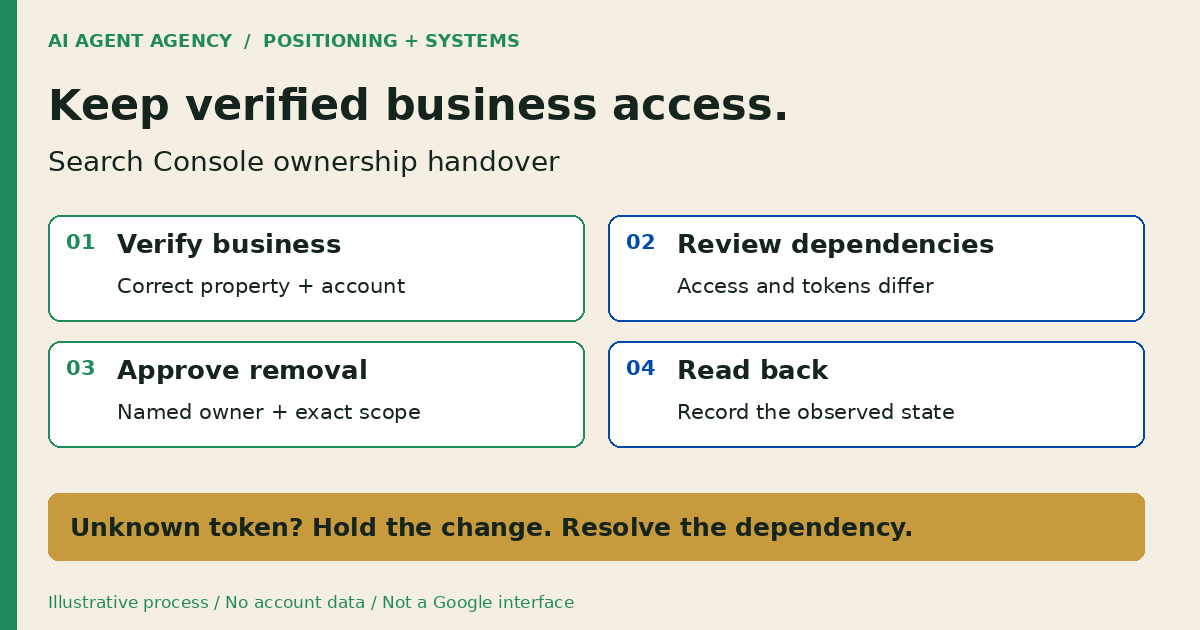
1. Which property and permission do you actually have?
Record the exact property before discussing removal. A familiar website name is not enough to identify the access being handed over.
Separate verified ownership from user access
Google's permissions guide distinguishes verified owners, delegated owners and users. Verified owners establish ownership through verification; delegated owners receive owner status from a verified owner. Full users can view data and take some actions, but are not verified owners.
Ask the current owner to review Settings, Users and permissions. Record your account's actual role and the property identifier. Search Console ownership is a platform permission, not evidence of legal title to the domain or website.
Match the property scope
Google's verification guide explains that Domain properties require domain-provider verification. URL-prefix properties have other eligible methods. Write down whether the handover covers a Domain property or a particular protocol, hostname and path. Do not replace the existing property with a different scope just because verification seems easier.
2. Establish business-controlled verification first
Make continuing business access an acceptance condition before routine supplier removal. Choose a named, authorised account whose recovery arrangements the business manages; do not request shared passwords.
Have an authorised administrator follow the verification flow
The incoming business owner should open the correct property and follow its available verification method. Google allows multiple verified owners, so business verification can be established while the outgoing agency remains. Add the required verification without overwriting another owner's token. Keep the new verification mechanism in place afterwards.
Assign a website administrator to check the implementation against Google's current instructions. If the business cannot control the required website or domain setting, record that dependency and resolve it before signing off. An email saying “access transferred” is not your completion evidence.
For the wider supplier relationship, use the AI automation vendor exit plan. This checklist adds the Search Console-specific record rather than replacing your full exit register.
3. Copy an ownership-and-dependency handover sheet
Keep a private worksheet with one row per account, property and verification mechanism. Store references to evidence, not passwords, API credentials or raw verification values.
- Property: Exact identifier and Domain or URL-prefix scope.
- Account and role: Named business or supplier account; verified, delegated or user access.
- Verification location: Method and controlled location; restricted evidence reference.
- Responsible people: Business owner, outgoing provider and authorised technical operator.
- Dependencies: Other services checked, their owners and unresolved questions.
- Approved change: Exact account or mechanism affected, retained business path and approver.
- Evidence: Before/after observation, reviewer, timestamp and next check.
Illustrative example: the token's purpose is unresolved
DEMO-HANDOVER-01 is fictional, not a client record. A business confirms its own verified access, but cannot yet establish whether the outgoing provider's verification record supports another service. The worksheet marks removal “held for dependency review”, names the administrator and sets a review date.
That is an unresolved handover item, not a reason to delete every Google-related record. Keep the record reference restricted and leave the unknown value out of shared meeting notes. Ask the responsible administrator for an evidence-backed decision.
4. Review access and verification mechanisms separately
Approve two distinct checks: who can currently enter the property, and what could let a former owner verify again. Google warns about retained tokens and cross-service dependencies. Check both before approving removal.
Follow the current owner-removal instructions
An authorised owner should use Google's owner-removal procedure, then review Unused ownership tokens and the associated verification details. The technical operator should identify each outgoing owner's mechanism, check dependencies and remove only the approved items. Preserve the business-controlled verification path. Do not bulk-delete TXT records, tags or files, or assume every mechanism is a DNS record.
Where Analytics or Tag Manager permissions are involved, ask the relevant administrator to follow Google's method-specific instructions. Removing website code indiscriminately is not a substitute for understanding account permissions.
Stop if the owner is unfamiliar
If an owner is unrecognised or compromise is suspected, stop the routine handover and obtain website-security help. Do not treat a supplier checklist as incident containment. Permanent staff departures also need the separate AI tool offboarding checklist.
5. Verify the handover, not just the removal click
Ask the business owner and technical operator to review the evidence together. Keep incomplete checks open with a named person rather than marking the whole handover finished.
- Open the correct property using the intended business account and confirm its verified status.
- Inspect the current user list and compare retained access with the approved list.
- Review outgoing-owner verification details and document remaining mechanisms or unresolved dependencies.
- Check separately who controls DNS, registrar, CMS, Analytics and Tag Manager access; one Search Console change does not complete those handovers.
- Record the observation time, reviewer and next access-review date in the private worksheet.
Do not change indexing settings, redirects, robots directives or sitemaps merely to complete an account handover. Add future access reviews to your website maintenance checklist.
An AI webmaster agent can prepare a redacted inventory, missing-evidence list and reminders. Keep ownership, token, DNS and account changes outside a preparation-only agent's authority. For a one-off handover, a competent administrator and manual checklist may be sufficient.
Frequently asked questions
Is Full user access the same as verified ownership?
No. Full user access is a different permission level. Confirm verified ownership explicitly rather than treating the ability to view performance reports as proof of continuing business control.
Can the business verify while the old agency still has access?
Yes. Google permits multiple verified owners. Follow the property's verification instructions without overwriting another owner's verification, then confirm the business account's status before routine removal.
Does removing an owner remove every verification token?
No. Check the outgoing owner's remaining verification mechanisms separately. Retained tokens can allow re-verification; keep unresolved items assigned rather than claiming access can never return.
Could deleting a verification token affect another Google service?
Yes. Google warns that verification tokens can be reused across services. Ask the appropriate administrators to check dependencies before approving deletion, and record any replacement verification needed.
Does this require sitemap submission or Change of Address?
An account handover alone is not a site move. Keep sitemap submission and Change of Address outside this checklist; assess any actual domain or URL migration as a separate project.
Assess the recurring workflow after the handover
Bring a redacted property/access inventory to the NZ$1,000 AI Agent Assessment. Decide what a website agent should read, what it may prepare and who approves changes. Assess your website-agent workflow; do not submit credentials through the booking form.
The standalone assessment is not an account-recovery service or guaranteed access restoration. Installation and migration are separate scope. A manual checklist or no build may be the right recommendation.