
HubSpot Meeting Rotations During Staff Leave: Check More Than the Calendar
Staff leave needs a routing check, not just a calendar block
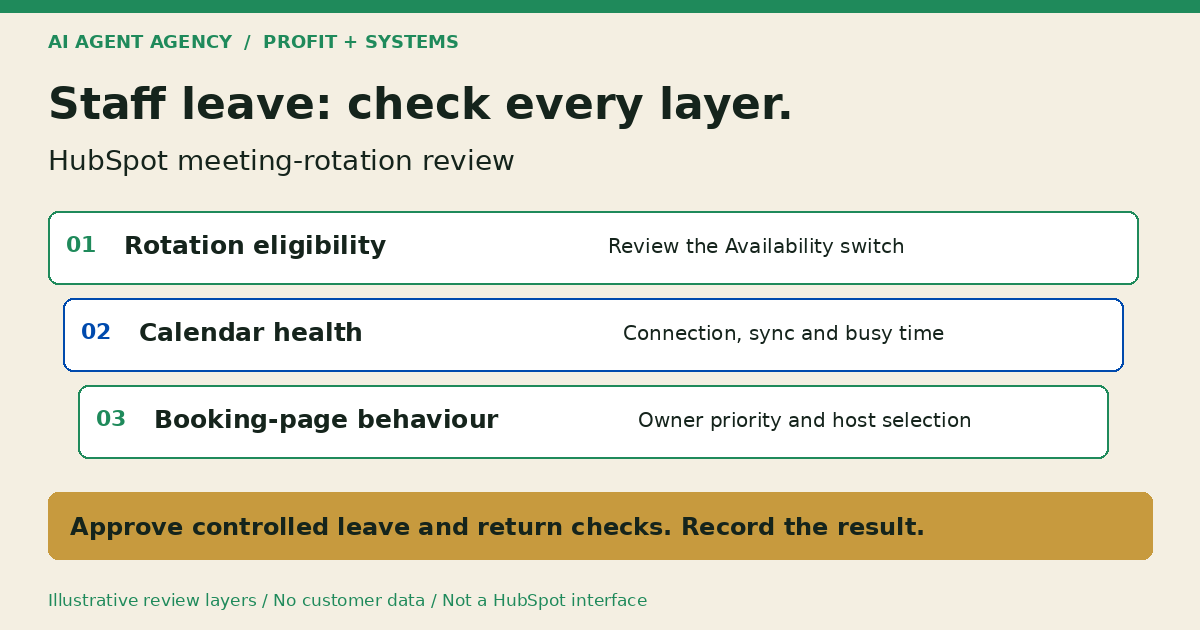
For HubSpot meeting rotations, calendar busy time does not switch a member out of the rotation. Check the separate Availability control, calendar connections and scheduling-page behaviour before leave. Have an authorised operator review the intended host, fallback and return date—not just the absence event.
This checklist is for New Zealand sales and operations teams investigating “HubSpot meeting rotation out of office”. It proposes a review process, not a completed customer test. Keep the broader HubSpot AI workflow guide for preparation-versus-action decisions.
1. Identify the scheduling path before changing anything
Record the exact page and configuration. A meeting rotation, an ordinary round-robin page, a group page and manual scheduling are not interchangeable labels.
Name the page and its owner
Copy the public scheduling URL into a private review sheet. Ask your administrator to identify its page type, linked rotation if any, included staff and responsible business owner. Do not infer configuration from a button labelled “Book a call”.
HubSpot documents rotations for record-based scheduling and scheduling pages. Treat CRM record-owner assignment and inbox availability as separate checks; this worksheet does not establish their behaviour.
Define what cover should mean
Write the expected outcome first: should another eligible person take the meeting, should booking stop, or should a coordinator handle the request? Name that coordinator. A replacement must be authorised for the service, not merely present on a staff list.
2. Check rotation Availability separately from busy time
Review the rotation setting and calendar status as different controls. HubSpot's rotation instructions say members are skipped only when their Availability switch is off, even if their calendar has no bookable times.
Check account eligibility
The same guide lists Sales Hub or Service Hub Professional/Enterprise, assigned Sales or Service seats for participants, connected calendars with sync enabled, and scheduling permissions. Verify your account against the current requirements before proposing changes.
Ask an experienced HubSpot administrator to inspect the actual settings. Record the proposed switch state, approver and operator; do not change memberships, weights or seats as a substitute for a leave review.
Inspect the absence event
HubSpot's calendar troubleshooting guide distinguishes Free from blocking event statuses. Check the event's actual status, relevant calendars, page time zone, booking windows, buffers and notice rules. A title saying “Holiday” is not your verification evidence.
3. Review connection health and contact-owner priority
Keep a separate connection check for every intended host. HubSpot warns that a disconnected round-robin calendar is treated as available. If only that user is available, a meeting can be requested without being added to their calendar.
Check the existing-contact branch
That guide also explains Prioritize contact owner: an eligible but unavailable owner can leave no times displayed instead of offering another host. For a rotation with owner priority enabled, HubSpot says the contact owner's availability appears before the next rotation member's availability.
Record whether owner priority is enabled and write separate expectations for an existing owned contact and a new-contact path. Do not promise automatic fallback. Have your administrator investigate mismatches using HubSpot's troubleshooting mode, which explains unavailable slots.
4. Copy a staff-leave booking review sheet
Use one row per page, staff member and leave interval. Keep evidence private and collect settings references, not customer calendar descriptions or passwords.
- Page and rotation: Exact URL, configuration type and linked rotation reference.
- Person and interval: Staff member, leave start/end, time zone and first intended bookable time after return.
- Control states: Current/proposed rotation Availability, calendar connection/sync observation and page settings checked.
- Cover decision: Authorised fallback host or named coordinator; expected no-host outcome.
- Approval: Business reviewer, technical operator, exact approved change and implementation time.
- Test evidence: Scenario, expected result, observed result, timestamp and restricted evidence reference.
- Return review: Responsible person, review date, approved restoration and unresolved items.
Fictional example: replacement cover is not yet proven
DEMO-LEAVE-02 is illustrative, not a client record. A mainland NZ team proposes leave cover for 23–27 November 2026, with normal consultation hours of 9am–4pm in Pacific/Auckland. These are fictional business hours and dates, not a holiday calendar.
The reviewer finds that the new-contact path has evidence, but the existing-owner path has not been checked. Mark that row “pending owner-priority review”, assign the administrator and hold sign-off. Do not describe the whole setup as tested because one route looked right.
5. Test before leave and again before restoring availability
Use an authorised safe setup and synthetic contact details. Agree expected outcomes and notification controls before anyone clicks a final booking button.
Run a controlled scenario set
- Member on leave: Check that the approved exclusion applies to the intended rotation and interval.
- Available replacement: Verify the expected host for both new-contact and existing-owner paths.
- No eligible host: Record the observed page state and the business's manual handover plan.
- Disconnected calendar: Check the documented risk only in an authorised test setup; never disconnect a production user's calendar merely to demonstrate it.
- Return from leave: Review intended first availability, connection health and owner-priority behaviour before approving restoration.
If a test creates an event, approve the recipients and side effects first. Record the host, event reference and notification observation separately. A displayed time is not proof of a completed booking. Do not send customer invitations to test routing.
Keep AI in preparation mode
An agent can draft the mismatch list, review sheet and return reminder. It must not automatically toggle availability, reassign contacts, edit calendars, send messages or change seats. The appointment-booking guide covers wider confirmation and cancellation boundaries. Use the offboarding checklist for permanent departures rather than treating leave as account removal.
Frequently asked questions
Does calendar busy time remove someone from a meeting rotation?
No. Review the rotation's separate Availability switch using the linked HubSpot instructions; do not sign off from the absence event alone.
Is a rotation the same as a standard round-robin page?
No. Identify the actual page type and whether a rotation is attached before applying this checklist.
What if a round-robin member's calendar disconnects?
HubSpot treats a disconnected round-robin calendar as available. If only that member is available, a meeting can be requested without reaching their calendar. Investigate before approving cover.
Which subscriptions and seats support meeting rotations?
HubSpot lists Sales Hub or Service Hub Professional/Enterprise, assigned Sales or Service seats, connected calendars and scheduling permissions. Confirm the linked requirements against your account; do not buy seats just to complete this worksheet.
How do we verify return without unintended invites?
Begin with read-only settings and availability checks. Any event-creating test needs explicit approval, controlled recipients and cleanup ownership. Keep the result open if safe testing is unavailable.
Choose native settings, a manual check or an assessment
A native HubSpot configuration review and manual checklist may be enough. Consider an agent only when recurring preparation work warrants one.
Bring one scheduling-page/rotation example and your approval rules to the NZ$1,000 AI Agent Assessment. Assess your sales-handoff workflow to map inputs, review responsibilities and whether to build at all. This is not an installed HubSpot connector; licences and implementation are separate scope.